
Submissions & outputs
Submission outputs define what happens when a user clicks a submit button: PDF quotation, confirmation email, webhook POST, and/or postMessage to the parent page. Each button that generates a PDF is linked to a template for the PDF layout.
The manager can be used in English or Dutch. Where it helps, the Dutch label is given in parentheses as well.
Where to find it
Manager → Data → Submissions (Inzendingen).
That page lists every submission configuration you have. A submission is not tied to one product: you build it once and then assign it to as many products as you like.
The second page under Data is Export — see Export.
Assign a submission to a product
Manager → Configurations → open the product → Submission & tracking.
Under Submission & tracking (Inzending & tracking) you pick the submission configuration for this product with the Submission (Inzending) dropdown, and Edit (Bewerken) opens the selected one. The chosen submission determines the contact form, PDF generation, email, webhooks and postMessage for this product. Enable tracking to get insights (Tracking inschakelen voor inzichten) next to it turns on the analytics that feed the marketing dashboard.
A showroom has its own Submission choice, which decides what happens with a completed basket — see Showrooms.
Manage submissions (UI)
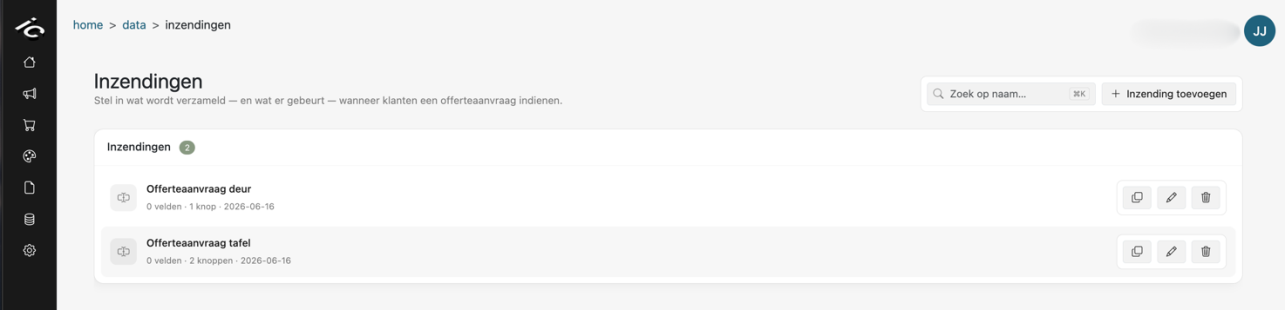
Under Data → Submissions you manage the forms and lead-capture settings shown at the end of your configurator. Here you decide which customer details to collect and which actions fire after a submission.
Manager → Data → Submissions to open a dashboard listing your existing submission configurations.
- Edit existing — click a row, or Edit (Bewerken) on the right of it.
- Duplicate (Dupliceren) — makes a copy (named “… Copy”) and opens it, so you can start from an existing submission.
- Delete (Verwijderen) — click once to arm, click again to confirm.
- Create new — click Add submission (Inzending toevoegen) at the top right.
- Use the search bar to filter the list by name. Each row shows the number of custom fields and buttons and the date it was last changed.
Configure a submission (step by step)
When you create or edit a submission, it opens in a window with these sections from top to bottom. Save with Save (Opslaan) or Ctrl+S (Cmd+S on Mac); Discard (Verwerpen) reverts unsaved changes.
General (Algemeen) — give the submission a clear, recognisable name for internal use. Hide the overview altogether (Verberg het overzicht volledig) skips the overview between configuring and filling in the contact details.

Personal fields (Persoonlijke velden) — set the section title and toggle which customer fields to collect at the end of the configurator: Name, Email, Phone and Address. For each shown field you can change the labels the customer sees.
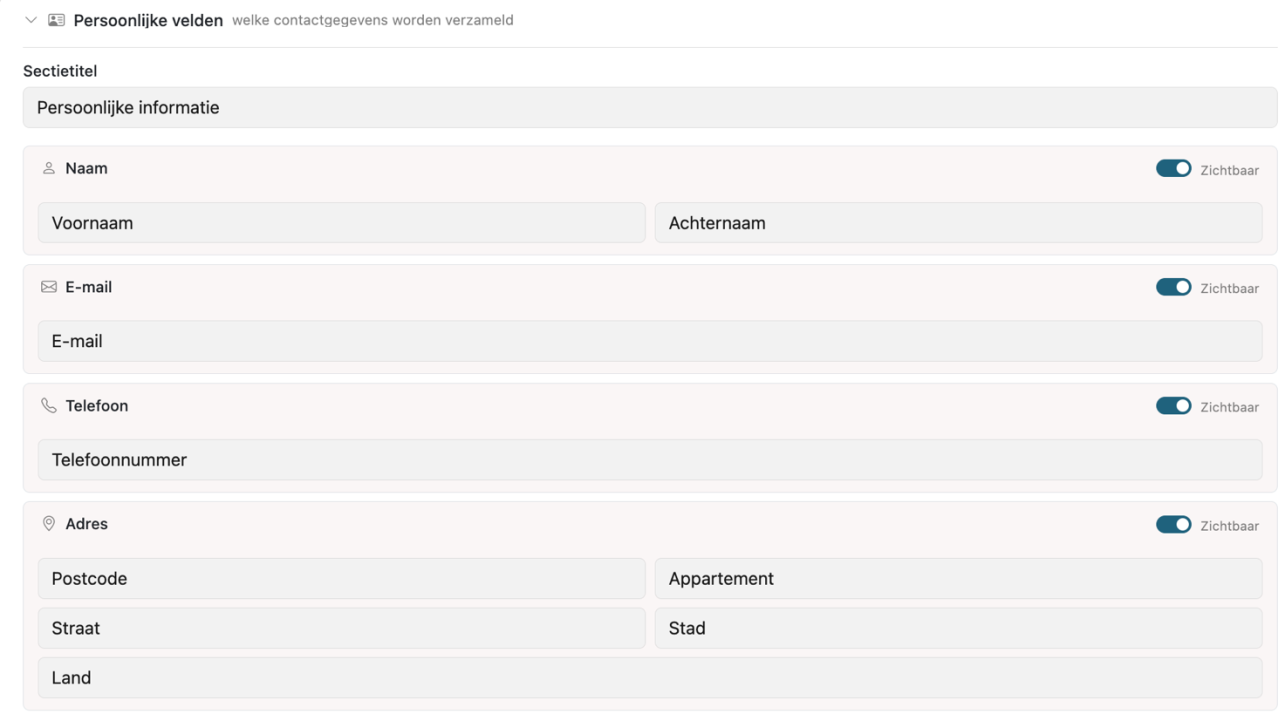
Dealer selector & discounts — in the same section, Dealer selector (Dealerselector) lets the user select a specific dealer, and Discounts (Kortingen) shows a discount code field. Both are hidden by default; when shown you can change their texts.

Custom fields (Aangepaste velden) — click Add field (Veld toevoegen) to capture information beyond the standard fields. Choose a type (Comment, Short text, Date, Location, Phone, Email, Name, Checkbox or Dropdown), a label and placeholder, and whether the field is Required. A date field only accepts today or a future date. Under Visibility dependencies a field can be shown only when certain checkbox fields are ticked. Drag fields to change their order.

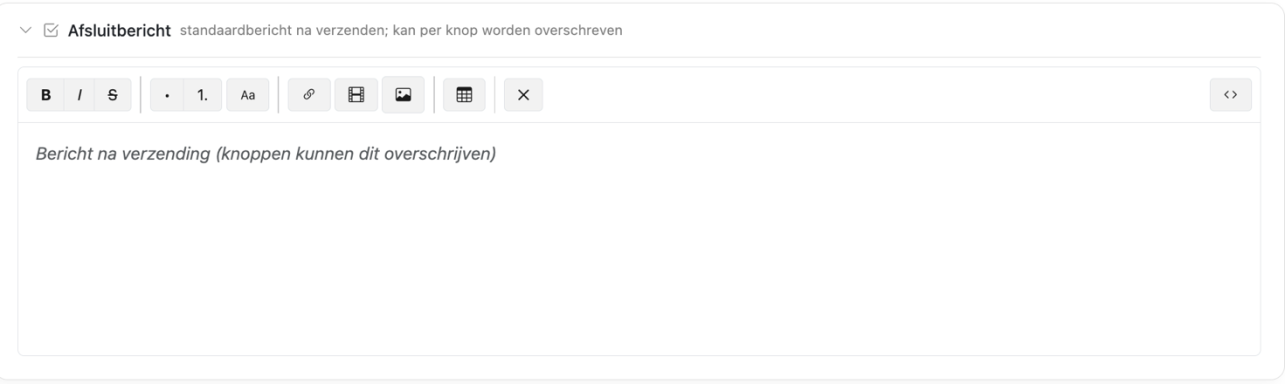
Finished message (Afsluitbericht) — write the short message the customer sees on screen after submitting successfully (e.g. a thank-you note or follow-up info). A button can override it.
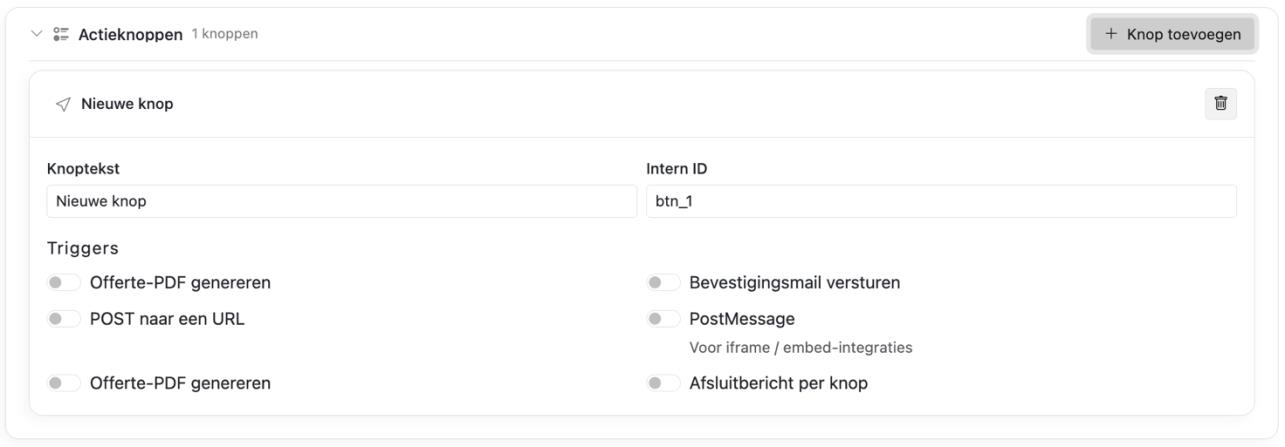
Action buttons (Actieknoppen) — click Add button (Knop toevoegen), give it a Button text and set its Triggers — what happens right after the click (see Button triggers). When Generate quotation PDF is on, pick the quotation template for this button; when Send confirmation email is on, pick the email template. You can add several buttons and drag them into order.
If your company uses more than one language, pick the language you are editing at the top of the window. Texts you have not translated yet show the default-language text as a hint.
⚠️ Danger zone — at the bottom of the window you can permanently delete the submission configuration. This action cannot be undone.

Concepts
| Term | Description |
|---|---|
| Submission output | A named configuration grouping the contact fields, custom fields, finished message and multiple buttons |
| Template | The quotation PDF layout, designed under Design → PDF (see Template editor); chosen per button |
| Email template | The confirmation email design, made under Design → Email, or the Default template; chosen per button |
| Button | A labeled submit action the user sees on the info step |
| Triggers | Per-button toggles: PDF, email, webhook, postMessage |
Each product (and each showroom) references one output via output_id.
Button triggers
| Toggle | Effect |
|---|---|
| Generate quotation PDF | Creates the quotation PDF from the button's quotation template; its URL is returned in the API response |
| Send confirmation email | Email to customer in the button's email template. The Default template sends the quotation PDF, so it only goes out when Generate quotation PDF is also on |
| POST to a URL | Webhook JSON POST to the URL you enter |
| PostMessage | postMessage to parent window |
| Per-button finished message | Shows this button's own message after submit instead of the default finished message |
Buttons can mix triggers. Example integrations:
- Quote request: PDF + email + webhook to CRM
- Add to cart: postMessage only (no contact fields)
- Iframe thank-you redirect: postMessage only
No-contact / cart buttons
When a button has PDF, email and POST to a URL disabled, the submit flow skips contact validation and quotation creation. It still sends postMessage with a cart.action payload. A button with POST to a URL on always asks for the contact details and creates a quotation.
Use this for “Add to cart” without collecting name/email.
Client submit payload
On submit, the form sends (among other fields):
{
  buttonId: '...',
  items: [ /* cart configurations */ ],
  first_name, last_name, email, phone, address, // when required
  extra_fields, // custom field answers
  total_price,
  product_id,
  company_id,
  dealer_id,
  language,
  discount
}
The API looks up the submission assigned to the product (or showroom), resolves the button from buttonId and runs the enabled triggers.
Templates & JavaScript embed
Templates control PDF content. The configurator JavaScript embed (inject) does not load a separate template file on the host site — the live UI comes from Design → Configurator in the manager (see UI editor).
Connection flow:
- User configures product in inject/iframe UI (styles from Manager).
- User reaches info step and clicks a button defined in Data → Submissions.
- Client calls add-quote API with the
buttonId. - Server generates PDF using the template linked to the button (if enabled).
- Webhook/postMessage fire according to button toggles.
For GTM analytics on the host page, use inject mode + Analytics & GTM.
Finished message
Optional custom text shown after submit (finished_message) can be set on the output (Finished message) or per button (Per-button finished message); the button's text wins.
Tips
- Give a submission a name you will recognise in a dropdown a year from now — the product editor only shows the name.
- Reuse one submission across products that collect the same details; you then only have to change the fields in one place.
- Products that customers can request together in one basket should use the same submission; if they use different ones, the request is saved but its PDF, email and webhook are not run.
- Ask for as little as possible on the contact step. Every extra required field costs you completed requests.
- Test a button end to end after changing its triggers: submit a request yourself and check the PDF, the email and — if you use one — the webhook.
- Deleting a submission cannot be undone, and products that still point to it lose their submit step. Check where it is used first.
Further reading
- Template editor (quotation PDF) — the PDF a submission generates
- Export — downloading quotations, customers and tracking
- Webhooks — the JSON POST a button can fire
- postMessage — talking back to the host page
- Script inject — embedding the configurator