
Quotes pipeline
Manage quotations from a visual pipeline (kanban board) so you can see the status of every quotation at a glance. Each column is a stage you define and shows how many quotations it holds; each card shows the quotation number, amount, customer name and product.
Where to find it
Manager → Quotations (Offertes). The toolbar has a three-way view switcher on the right — List (Lijst), Kanban and Dealers. Choose Kanban for the board.
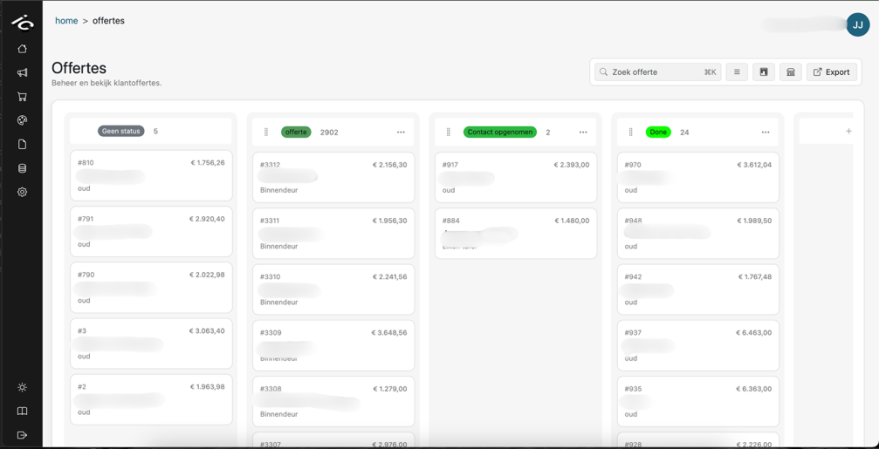
Next to the switcher a date picker appears; its window has the presets 7d, 30d, 90d and All (Alles). The board opens on the last 30 days, so a quotation you are missing is usually older than the selected range — widen it before you go looking.
The board shows your own quotations. Quotations submitted by your dealers have their own view: see Dealer analytics.
Move quotations and stages
- Change a quotation's stage — drag its card to another column; the new stage is saved straight away.
- No status (Geen status) — the first column always holds quotations without a stage. Drag a card back into it to clear its stage.
- Reorder stages — drag a column by the handle next to its name. The new order is saved for your company.
Add a stage
Scroll to the right of the board and click + Add label to create a new column.

Edit a stage (name & colour)
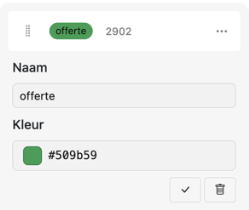
Click the three dots (...) on the right of a stage.

In the pop-up, set:
- Name — a clear title (e.g. Quote, Contacted, Done).
- Colour — pick a colour matching the status (hex value). On the board the stage label is shown in the closest of the standard label colours (grey, teal, green, red or orange).
Click the checkmark to save. To remove the stage, click the remove icon and click it again to confirm. A stage that is still used by a quotation cannot be removed, and at least one stage must remain.
Consistent stages and colours give a clean dashboard where you see the current status of your pipeline instantly.
Opening a quote
Click a card to open that quotation. Everything you can do there — change lines, apply a discount, reconfigure the customer's configuration, regenerate the PDF, resend the email — is described on Quotation editor.
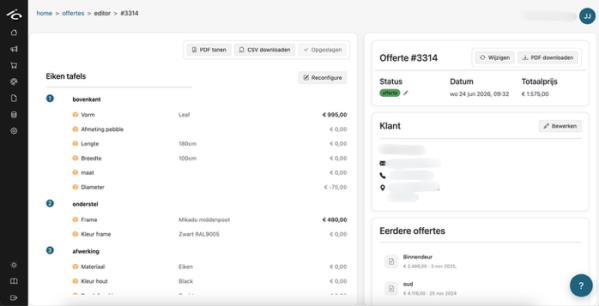
Two things you will reach for most:
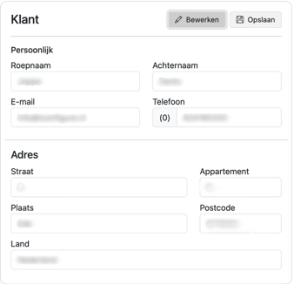
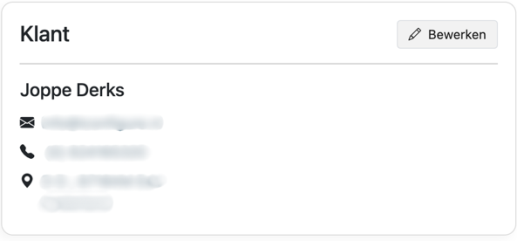
Customer — click Edit to change the linked customer's personal and address details, then save.
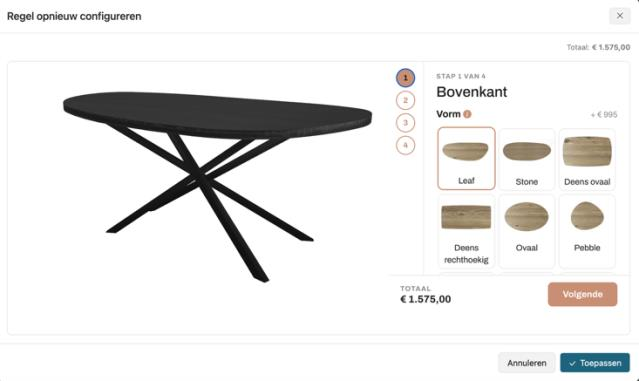
Reconfigure — reopens the configurator with all of the customer's previous selections pre-filled. Adjust it and click Apply; the quotation is updated immediately.
Tips
- Keep the number of stages small. A board with four columns you actually use beats ten you never move a card out of.
- Give stages colours that read as a progression (cool → warm), so the board tells you the state of your pipeline at a glance.
- Stages are shared across your company: everyone sees the same board.
Further reading
- Quotation editor — everything inside a single quotation
- Submissions & outputs — what happens when a customer submits
- Dealer analytics — quote requests per dealer
- Getting started with Manager